

Do smart locks work without WiFi? This is the question most asked by Malaysian homeowners.
Imagine this for a moment.
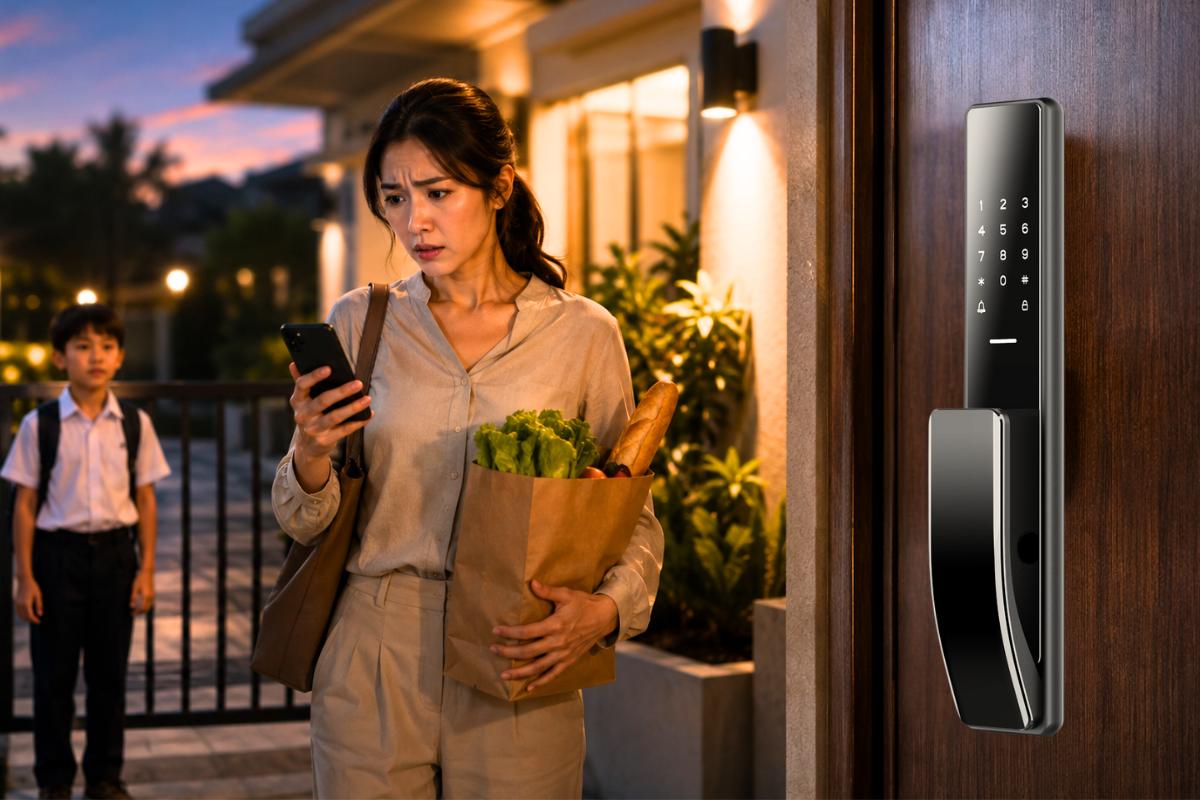
You reach home in the evening. One child is already leaning on the gate. You’re digging through a school bag looking for something that probably isn’t there. You pull out your phone to check the lock… and realize the WiFi is down again.
That tiny pause before touching the doorknob suddenly feels longer than it should.
Will the smart lock still open?
It’s one of the first worries people have before installing one. Nobody wants a front door that depends on their router’s mood.
Here’s the simple truth:
Most smart locks don’t rely on WiFi to let you inside.
The internet helps with remote features. It’s useful when you’re not at home. But when you’re standing right in front of your door, your lock usually doesn’t need it at all.
Once you understand what actually runs on WiFi and what doesn’t, smart locks start to feel far more predictable than people expect.
Table of Contents:
1. What Does a Smart Lock Actually Need WiFi For?
2. Do Smart Locks Still Unlock Normally Without WiFi?
3. Why Most Smart Locks Don’t Depend on WiFi to Work
4. Which Smart Lock Features Continue Working Offline?
5. Can You Still Use Fingerprint, PIN, or Card Access Without WiFi?
6. Does Auto-Lock Still Protect Your Door When the Internet Is Down?
7. Which Smart Lock Functions Require a WiFi Connection?
8. Why Remote Unlocking Stops Without Internet Access
9. Will Mobile App Control Still Work Without WiFi?
10. Bluetooth Smart Locks vs WiFi Smart Locks: What’s the Difference?
11. Why Many Homeowners Prefer Locks That Work Without Internet
12. Is a WiFi Smart Lock Necessary for Everyday Use?
13. What Happens to Your Smart Lock During a WiFi Outage?
14. Can Your Family Still Enter the House If the Internet Goes Down?
15. Are Smart Locks Reliable Enough for Daily Use Without WiFi?
16. Are Smart Locks Still Safe Without a WiFi Connection?
17. Does Losing WiFi Make Your Smart Lock Less Secure?
18. How Smart Locks Continue Protecting Your Home Offline
19. When WiFi Access Actually Becomes Useful for Smart Locks
20. What to Look for in a Smart Lock If Your Internet Is Unstable
WiFi mainly helps your lock communicate with you when you’re somewhere else.
For example, when you’re still at work and wondering whether someone locked the door after leaving. Or when a relative arrives early, and you want to let them in without rushing back. Or when you simply like knowing what’s happening at home while you’re away.
All of that depends on internet access.
But the moment you’re standing outside your own entrance, things change. At that distance, your lock isn’t waiting for instructions from the internet. It already recognises you.
So WiFi isn’t what opens your door. It just makes the lock easier to manage from far away.
Yes, they do, and this surprises many people the first time they hear it.
Most smart door locks are built to recognize access directly at the door itself. That part works independently.
Fingerprints still respond. PINs still work. RFID cards still unlock the door. If your lock connects to your phone nearby, that continues as well. And many models still keep a traditional key as backup.
So when the internet drops, nothing dramatic happens. You come home, open the door, and carry on with your evening.
A smart lock isn’t constantly checking with the internet before deciding whether to open.
Instead, it keeps its important information inside the lock. That includes fingerprints, PIns, and other approved access methods.
Because of this, the lock already knows who is allowed in long before you reach the door.
WiFi simply adds extra convenience on top. It doesn’t control the basic function of locking and unlocking.
Even during an outage, the lock continues doing exactly what it was designed to do.
This is usually the part people care about most.
When WiFi isn’t available, many smart locks, such as Raizo R4165, R4074, and R3775, still support everyday access methods, such as the following:
In practical terms, that means your daily routine stays the same.
Nobody in the house needs to change how they enter.
Yes, and this is one reason families feel comfortable switching to smart locks in the first place.
These access methods are stored inside the lock itself. They don’t need internet approval before opening the door.
So children returning from school can still enter without waiting. Parents arriving later in the evening don’t face surprises. Visiting relatives don’t need instructions about network settings.
Once someone is registered, the lock remembers them.
Auto-lock is one of those features people stop noticing after a while, until they realize how much they depend on it.
You close the door and walk away. A few seconds later, it locks itself.
No turning back halfway down the street just to check.
Most of the time, this continues working even without WiFi.
So if someone leaves in a rush or forgets to lock up before bedtime, the house still takes care of itself quietly in the background.
Some features do pause when the internet isn’t available.
Usually these include:
These rely on communication between your phone and the lock across a distance.
But your ability to enter your own home doesn’t change.
Remote unlocking works a little like sending instructions across town.
Your phone sends the request. The lock receives it. The door opens.
Without the internet, that message simply can’t travel.
But when you’re already standing at the entrance, remote unlocking isn’t needed anyway. The lock responds directly to you.
So what disappears is convenience, not access.
This depends on how your lock connects to your phone.
If it supports nearby connections, the app usually still works when you’re close to the door.
If it depends entirely on WiFi, then control from the app (like Raizo Smart) pauses until the connection returns.
That’s why some homeowners prefer locks that offer both options. It keeps things flexible without depending completely on internet stability.
The difference is mostly about distance.
Nearby unlocking works through a short-range connection. Remote unlocking works through an internet connection.
In everyday life, most people unlock their door while standing right in front of it. That’s why nearby access quietly handles most situations without needing WiFi at all.
Internet control becomes useful when you’re away for long hours or travelling frequently.
Home internet isn’t always predictable.
Sometimes the router restarts. Sometimes there’s maintenance in the area. Sometimes the signal simply disappears for a while.
A lock that continues working through all of that removes one small but important worry from daily life.
Kids with caregivers won’t be stuck outside. The elderly don’t have to deal with connection issues. Everyone enters the house the same way every time.
That reliability builds trust very quickly.
For most households, it isn’t essential.
Daily entry usually happens at the door itself, not from another location.
WiFi becomes useful when you travel often, expect visitors while you’re away, or prefer checking your door status remotely.
If those situations matter to you, the extra connection helps. If not, offline access already handles what most homes need.
Very few changes.
You still unlock the door the usual way through other unlock methods such as fingerprint, PIN, and RFID. The lock still recognises registered users. Automatic locking still works if your model supports it. Everything works fine.
The only difference is that remote features wait quietly until the connection returns.
Once WiFi is back, everything continues as normal.
Yes.
Anyone already registered in the lock can still enter as usual.
Children don’t have to wait outside. Parents don’t need to troubleshoot anything. Visiting relatives don’t even notice there was an outage.
From their point of view, the door behaves the same.
Yes, provided you choose a dependable model and install it properly, like Raizo smart door locks.
Most daily access methods are designed to work independently of an internet connection.
That’s why many homeowners treat offline access as one of the most important features when choosing a lock for family use.
Reliability at the door matters more than remote control from far away.
Yes. Losing WiFi does not weaken the lock.
Access permissions remain stored inside. The locking mechanism continues working. Automatic locking still activates if available.
Your door stays protected whether the internet is running or not.
Not really.
What disappears is visibility from your phone, not protection at your entrance.
You might not receive updates immediately. You might not be able to check activity while away.
But the door itself remains locked just the same.
Even without the internet, the lock continues doing what matters most.
It recognises the right people. It secures the door after closing. It allows trusted entry without delay.
For families, that consistency is what makes a smart lock feel dependable rather than complicated.
A door should open when it should, and stay closed when it shouldn’t.
WiFi becomes more helpful when you’re often away from home.
It allows you to open the door for visitors without rushing back. It lets you check whether the house is locked during travel. It keeps you informed while you’re outside.
These features add flexibility, especially for busy households.
But they’re not required for daily entry.
If your connection drops occasionally, choose a lock that works confidently on its own.
Look for support for:
A dependable lock should continue working whether the internet is available or not.
If the question, ‘Do smart locks work without WiFi?’ appears again in your mind, the answer should be very clear.
WiFi makes remote control easier and lets you enter your home contactlessly.
What matters most is knowing the door will open when your family arrives, every time.
If you’re looking for advanced, family-friendly smart access technologies that offer your loved ones’ protection, we think you’d love Raizo smart door locks as their companion.